The best office headsets under 100 balance clear calls, comfortable wear, and the right connection options for your workday. These five choices range from dedicated meeting headsets to a gaming model, so match microphone controls, fit, and battery life to how you work.
Quick Top Products
JLab JBuds Work Wireless Headset

- Over-ear headset with a boom microphone for calls.
- Connects wirelessly to two devices with Bluetooth multipoint.
- Includes a USB-C to 3.5mm cable for wired use.
Best For: People who want a wireless over-ear headset for long work stretches and calls.

JLab Go Work Pop

- The boom mic flips up to mute and down for calls.
- Bluetooth multipoint pairs two devices simultaneously.
- Voice and Music EQ modes serve calls and listening.
Best For: Desk workers who want a compact on-ear headset with a boom mic and multipoint Bluetooth.
JLab Go Work Wireless

- Connects to two devices at once through Bluetooth multipoint.
- Includes a USB-C to 3.5mm cable for wired use.
- Dual microphones support its C3 calling feature.
Best For: People who switch between Bluetooth calls and a wired computer connection.
SteelSeries Arctis Nova 3X Wireless
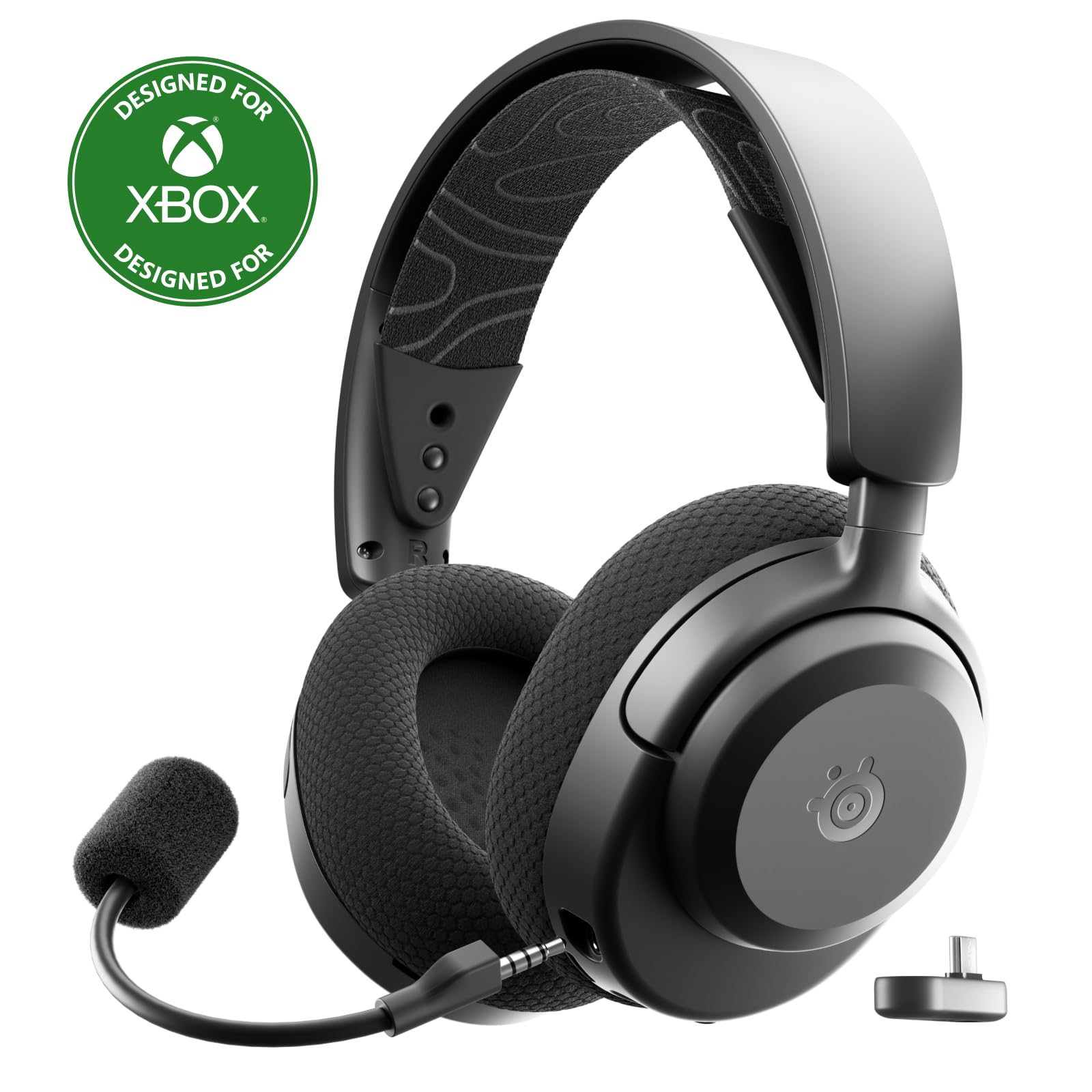
- Supports 2.4GHz wireless and Bluetooth.
- A USB-C dongle supports multiple gaming and mobile platforms.
- Fast charging gives up to 9 hours of playback from 15 minutes.
Best For: People who want one wireless headset for PC calls, gaming, and multiple platforms.
JLab Go Lux ANC
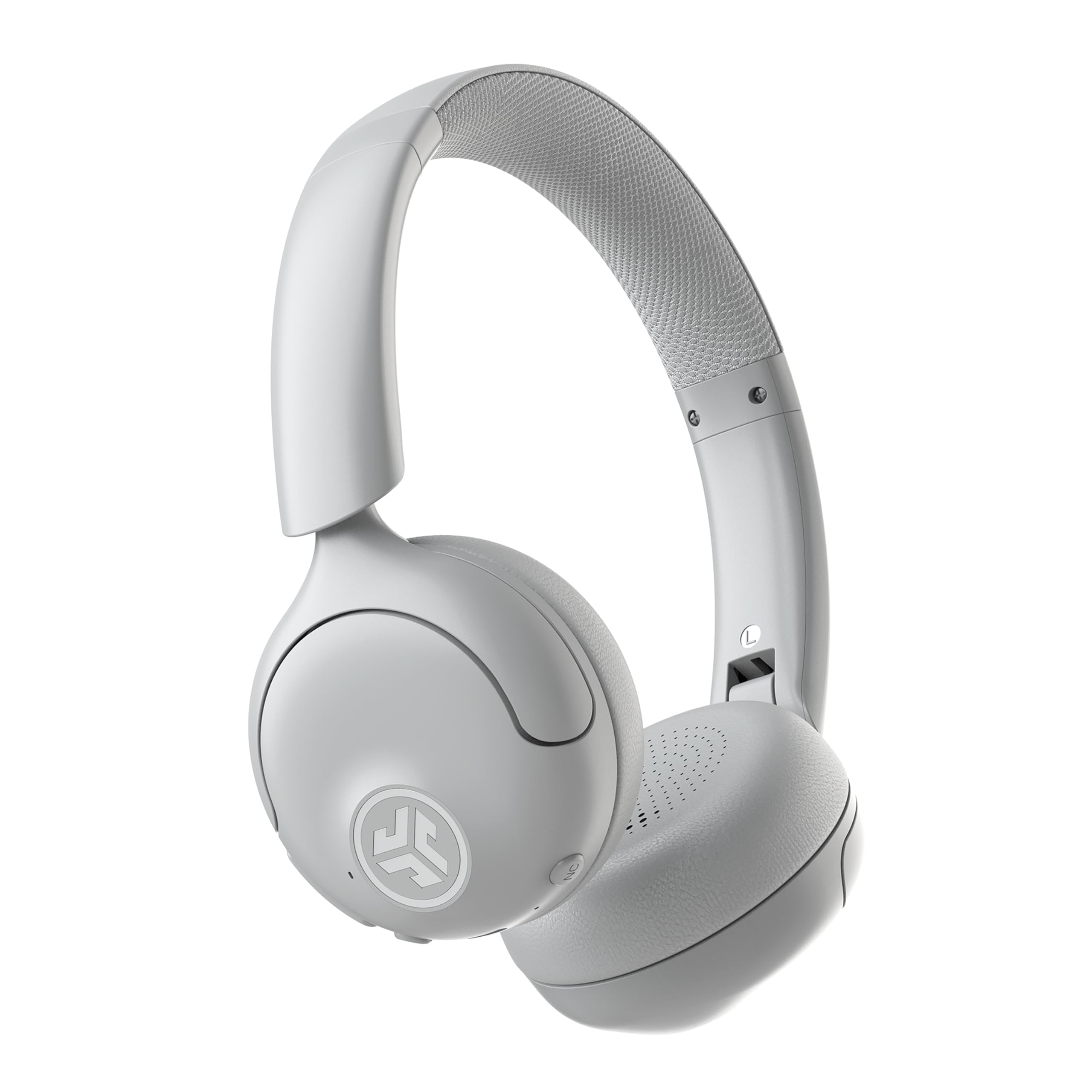
- Hybrid active noise cancellation reduces ambient noise by up to 30 dB.
- Bluetooth multipoint connects two devices at once.
- The JLab app adjusts ANC and Be Aware levels.
Best For: People who want on-ear headphones with active noise cancellation for a home or shared office.
Longest Stated Work Battery
JLab JBuds Work Wireless Headset with Microphone, Over Ear Computer Headsets, Wired or Wireless Headphones with 60+ Playtime, Multipoint Bluetooth Headset for Laptop Teams, Office with Mic (16 Pack)
The JLab JBuds Work pairs an over-ear fit with a boom microphone and a stated 60+ hours of playtime, giving it a work-focused feature set for people who do not want to charge every day. Bluetooth multipoint connects two devices, while the included USB-C to 3.5mm cable offers a wired option.
Its mic can flip up to hang up or down to answer, and a red LED shows mute status. The title identifies a 16-pack, so check the offer configuration carefully if you want a single headset; the catalog title describes the headset without a quantity.
Best For: People who want a wireless over-ear headset for long work stretches and calls.
| Pros | Cons |
|---|---|
|
|
Choose this model if over-ear coverage, a boom mic, and its stated 60+ hour worktime fit your routine. The wired cable and two-device Bluetooth connection also make it adaptable between a computer and phone.
Check the package quantity before buying because the title marks this offer as a 16-pack, while the catalog title leaves the quantity out. Also consider whether you prefer an over-ear fit; the record does not give a headset weight.
Flip-to-Mute Meeting Mic
JLab Go Work Pop, On-Ear Wireless Headset, Bluetooth Multipoint, Noise Canceling Boom Mic, Black
The JLab Go Work Pop is a dedicated on-ear work headset with a rotating boom microphone, Bluetooth multipoint, and up to 50+ hours of wireless playtime. Its microphone flips up to mute and down to activate for calls, which can make quick meeting transitions straightforward.
Multipoint pairs it with a computer and mobile device at the same time, while separate Voice and Music EQ modes suit calls and listening. The on-ear design keeps it light and portable, though the record does not give its weight.
It is a practical work-first option.
Best For: Desk workers who want a compact on-ear headset with a boom mic and multipoint Bluetooth.
| Pros | Cons |
|---|---|
|
|
Pick the Go Work Pop if you want headset controls centered on meetings, especially the flip-to-mute mic and two-device Bluetooth connection. Its stated 50+ hours is less than the JBuds Work's figure, but still fits users looking for extended wireless use.
The record lists compatibility across computer and mobile platforms but does not specify a wired mode or headset weight, so check those details if they matter to your setup or comfort.
Wired-or-Wireless Flexibility
JLab Go Work Wireless Headsets with Microphone, 45+ Playtime PC Bluetooth Headset and Multipoint Connect to Laptop Computer and Mobile, Wired or Wireless Headphones (1 Pack)
The JLab Go Work Wireless combines Bluetooth multipoint with a USB-C to 3.5mm cable, so it can connect wirelessly to two devices or plug in for wired use. Its C3 calling system uses dual microphones, and the boom rotates out of the way for listening.
A stated 45+ hours of playtime supports extended use between charges, while on-headset buttons cover call, volume, and mute controls. A red LED at the mic tip indicates when mute is active.
The on-ear fit is more compact than an over-ear design, but the record does not give headset weight or specify active noise cancellation.
Best For: People who switch between Bluetooth calls and a wired computer connection.
| Pros | Cons |
|---|---|
|
|
This is a flexible choice for workers who want a headset that can move between a computer and phone while retaining a wired fallback. The included cable and mute indicator are concrete conveniences for calls.
Its stated 45+ hours is below the JBuds Work and Go Work Pop figures, and the on-ear fit differs from the JBuds Work's over-ear design. Consider your preferred fit and whether you need wireless multipoint or a reliable cable connection most.
Multi-Platform Gaming and Work
SteelSeries Arctis Nova 3X Wireless Multi-Platform Gaming Headset — Mobile App Control — 40 HR Battery — Neodymium Magnetic Drivers — 2.4GHz/Bluetooth — Xbox, PS5, PC, Switch, Mobile — Black
The SteelSeries Arctis Nova 3X is primarily a gaming headset, but its PC and mobile support can also fit a home office where game audio is part of the routine. It combines 2.4GHz wireless and Bluetooth, with a USB-C dongle for swapping among Xbox, PC, PlayStation, Switch, phones, or tablets.
Its companion app offers more than 200 game presets, and the record gives a full-charge duration of up to 40 hours. Fast charging provides up to 9 hours of playback from 15 minutes.
The listing material does not identify a boom mic or call-specific microphone controls, so prioritize it for cross-platform audio rather than meeting features.
Best For: People who want one wireless headset for PC calls, gaming, and multiple platforms.
| Pros | Cons |
|---|---|
|
|
Choose the Arctis Nova 3X when your headset needs to cover gaming platforms as well as PC or mobile audio. The dongle and Bluetooth give it a broader cross-device role than the work-focused models, and fast charging can restore up to 9 hours of playback after a short charge.
For office calls, check that its microphone setup and controls meet your needs: the supplied details focus on drivers, presets, and platform compatibility rather than call handling.
Active Noise Control for Shared Spaces
JLab, Go Lux ANC, On Ear Headphones, Active Noise Cancelling, Bluetooth MultIPoint, Cloud White
The JLab Go Lux ANC is an on-ear Bluetooth headset with hybrid active noise cancellation and multipoint pairing for two devices. Its ANC reduces ambient noise by up to 30 dB, and Be Aware mode lets surrounding sound in when needed.
The JLab app can adjust those levels, customize EQ, and remap touch controls. A stated playtime of up to 50 hours offers long wireless listening, and Cloud Foam earcups and headband are designed for extended wear.
The record does not mention a boom microphone or call-focused mic controls, so this is a better fit when listening comfort and sound control matter more than a clearly specified meeting headset.
Best For: People who want on-ear headphones with active noise cancellation for a home or shared office.
| Pros | Cons |
|---|---|
|
|
The Go Lux ANC suits an office listener who wants noise control and app-adjustable sound, with multipoint Bluetooth for a computer and phone. Its ANC and Be Aware features address listening in changing environments, and up to 50 hours is useful for reducing charging interruptions.
However, the supplied details do not describe a boom mic or wired mode. If meetings are central, compare its call controls with the clearly specified boom microphones on JLab's work-focused models.
How to Choose Office Headsets Under 100
How We Picked Office Headsets Under $100
The strongest matches in this group are headsets with clear call-oriented features, useful computer connections, and practical workday controls. Three JLab options specifically include boom microphones, mute indicators or flip-to-mute behavior, and Bluetooth multipoint.
Those are easier to assess for meetings than general listening headphones with only a built-in microphone.
The SteelSeries Arctis Nova 3X and JLab Go Lux ANC add different strengths: cross-platform gaming audio and active noise control. They make sense for people whose office headset also serves other listening needs, though their supplied details give less emphasis to call controls.
Kids' models and general-purpose headphones without specified office-focused microphone features were left out.
Comparing Office Headsets Under $100
The biggest practical differences are fit, connection choice, and call handling. The JLab JBuds Work is over-ear and has the longest stated battery figure, but its title identifies a 16-pack.
The Go Work Pop is on-ear with flip-to-mute operation and two-device multipoint. The Go Work Wireless adds a wired cable and dual-mic C3 calling, with a lower stated playtime figure than the other dedicated work models.
The Arctis Nova 3X uses a USB-C dongle and Bluetooth for a wide range of devices, plus fast charging and game presets. The Go Lux ANC emphasizes listening control with ANC, Be Aware mode, and app adjustments.
Neither record specifically details a boom mic, so they are less straightforward choices for frequent video meetings.
| Product | Standout features | Best for |
|---|---|---|
| JLab JBuds Work Wireless HeadsetCheck Price |
| People who want a wireless over-ear headset for long work stretches and calls. |
| JLab Go Work PopCheck Price |
| Desk workers who want a compact on-ear headset with a boom mic and multipoint Bluetooth. |
| JLab Go Work WirelessCheck Price |
| People who switch between Bluetooth calls and a wired computer connection. |
| SteelSeries Arctis Nova 3X WirelessCheck Price |
| People who want one wireless headset for PC calls, gaming, and multiple platforms. |
| JLab Go Lux ANCCheck Price |
| People who want on-ear headphones with active noise cancellation for a home or shared office. |
Choosing a Comfortable Headset for Calls
Fit affects how well a headset suits a full day at a desk. The JBuds Work is over-ear, while the Go Work Pop, Go Work Wireless, Arctis Nova 3X, and Go Lux ANC are described as on-ear or headband-style options.
The SteelSeries model includes multiple adjustment points and a stretchy headband; the JLab work models mention Cloud Foam earcups. Headset weight is not given for these JLab work models, so check dimensions and fit details if long-wear comfort is a priority.
For office calling, look closely at how mute works. The Go Work Pop flips its mic up to mute, while the Go Work Wireless has a red LED at the mic tip to show mute status.
The JBuds Work also has a red mute indicator and flip-up/down call control. These visible or physical controls can be useful when switching between meetings and focused work.
Wireless, Wired, and Multipoint Setup
Bluetooth multipoint can keep a laptop and phone connected at the same time. The three JLab work headsets explicitly support two-device multipoint, while the Go Lux ANC also connects to two devices.
The Go Work Wireless and JBuds Work include USB-C to 3.5mm cables for wired use, which may help when you need a cable option. The Go Work Pop's supplied details focus on Bluetooth, so confirm its connection requirements before choosing it for a setup that depends on a wired input.
The Arctis Nova 3X takes another route with 2.4GHz wireless through a USB-C dongle alongside Bluetooth. That makes it relevant for mixed gaming and office use, although compatibility depends on the ports and devices you plan to use.
Check the device types and meeting software you rely on, especially when choosing a headset whose record gives more gaming or listening features than call-specific microphone details.
Which Office Headset Fits Your Workday?
For a headset centered on calls with the longest stated worktime, consider the JBuds Work after checking its 16-pack offer quantity. Choose the Go Work Pop for flip-to-mute convenience and two-device pairing, or the Go Work Wireless if you want both a wired fallback and an on-headset mute indicator.
The Arctis Nova 3X fits a gaming and office setup that spans several platforms.
For noise control during listening, the Go Lux ANC adds adjustable ANC and Be Aware mode, though its meeting microphone features are not specified. Before buying, match the fit, microphone controls, wired or dongle needs, and device compatibility to your daily work pattern.